
Best locksmith software in 2026: an Australian one-van guide
A vendor-neutral look at the software an Australian locksmith business actually runs - scheduling, dispatch, invoicing and call handling - and how a one-van operator should choose. Not key-cutting or key-code tools.

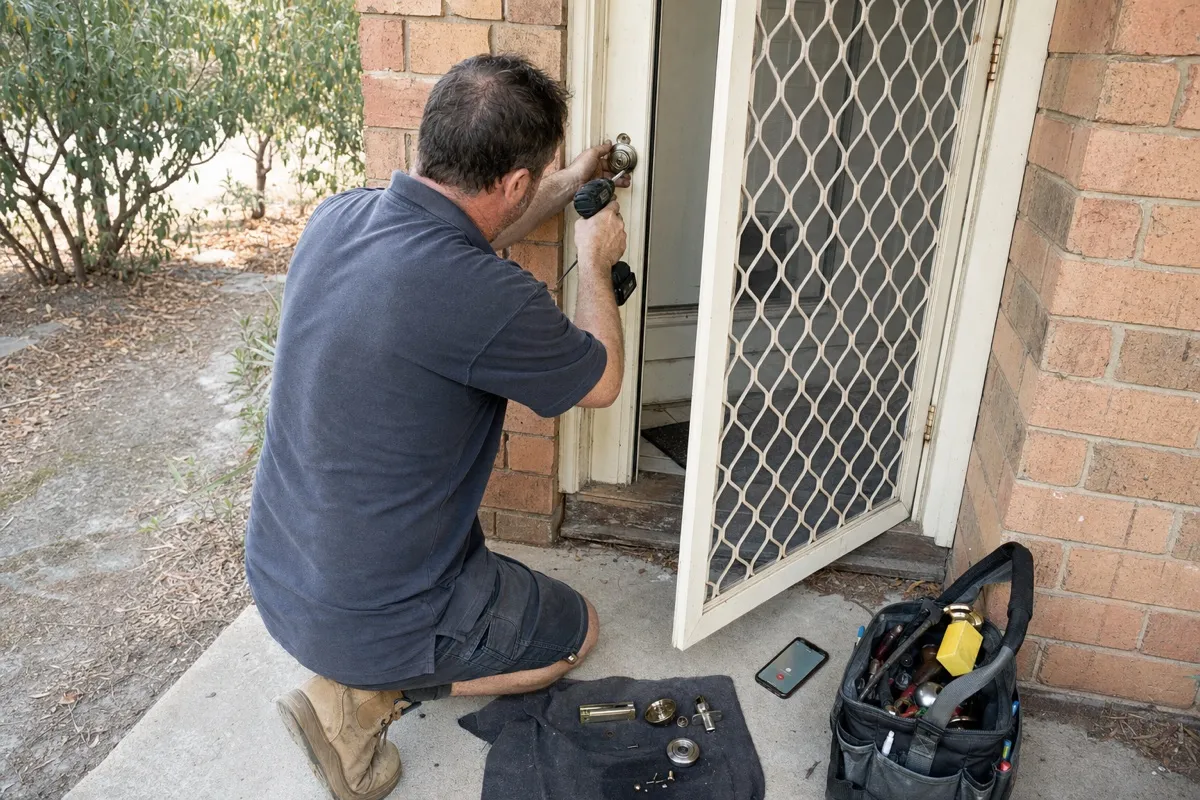
The best locksmith software is not a single product but a small stack: a job-scheduling and dispatch app such as ServiceM8, simPRO, Tradify or FieldPulse, plus invoicing, plus a dependable way to answer every emergency call. A one-van operator should pair one field-service app with reliable call handling instead of buying a platform that tries to do everything.
Search "locksmith software" and the results are a mess. Half the page is single-vendor sales sites all crowning themselves number one, and the other half is key machines and key-code hardware that has nothing to do with running the business. Nobody lays the real options side by side. This guide does, scoped to the software a working locksmith business actually needs, and honest about where each tool fits.
What "locksmith software" means (and what it is not)
When a locksmith says "software", they usually mean one of four jobs:
- Scheduling and field-service management - the diary, jobs, who is where, and the tech's mobile app.
- Dispatch - getting the nearest available van to the next callout, often with GPS.
- Invoicing, quoting and CRM - quotes on site, invoices that chase themselves, and a record of every customer and lock you have fitted.
- Call handling and booking - making sure the phone gets answered and the job gets booked, even when you are flat on your back picking a lock.
At a glance
Here is how the main business tools compare on the jobs that matter to a small locksmith. The right pick depends on your size and how much of your work is emergency callouts.
| Tool | Best for | Scheduling & dispatch | Invoicing & CRM | Call handling |
|---|---|---|---|---|
| ServiceM8 | Sole traders and small trades | Yes | Yes | No |
| simPRO | Larger field service and compliance | Yes, with GPS | Yes | No |
| Tradify | Tidy one-van diary | Yes | Yes | No |
| FieldPulse | All-round small business | Yes | Yes | AI booking add-on |
| Fergus | Job and cash-flow tracking | Yes | Yes | No |
| Jodie | Answering every call | No | No | Yes, dedicated |
There is no overall winner on purpose. Most operators run one field-service app from the top rows and bolt on a dedicated way to answer the phone, because the scheduling tools are weakest exactly where lockout work is won or lost.
The tools, one by one
ServiceM8 is Australian-built and a favourite with sole traders and small trade teams. Scheduling, quoting and invoicing are clean and the mobile app is strong. Call handling is not its job.
simPRO is the heavier Australian platform, built for larger field service with GPS dispatch and compliance handling. If you do volume commercial or contract work it is a serious option, though it is more than a solo locksmith needs on day one.
Tradify sits at the affordable, tidy end for scheduling, quotes and invoices. It suits a one-van operator who wants a clean diary without a steep learning curve.
FieldPulse is a capable all-round small-business app - jobs, invoicing, a customer portal - and also markets AI lead capture and booking. Good breadth for the price, and well established in Australia.
Fergus is a job-management app with strong cash-flow and pipeline tracking, handy if you want to see what every job is actually earning.
None of these is wrong. The mistake is buying the heaviest platform you can find when a solo locksmith needs a clean diary and a phone that always gets answered.
The category most roundups miss: call handling and booking
Here is the gap every other "best locksmith software" list leaves open. Every tool above manages work you have already won. Not one of them catches the emergency lockout that calls while you are mid-job with both hands full.
That missed call is the most expensive software gap in a locksmith business, because an emergency lockout does not leave a voicemail and wait. They ring the next locksmith on the list, and the job - often the best-paid, after-hours kind - goes to whoever answered first. Answering is its own category, and it sits in front of the whole stack. This is the one place we will mention our own corner of it: Jodie answers the phone for locksmiths when you cannot, takes the address and the job, and texts it straight to you, so the callout reaches your diary instead of a competitor.
How to choose for a one-van versus a growing operation
The right stack depends on size and job mix more than features:
- One van, mostly emergency and domestic work. Keep the scheduling side light - Tradify, FieldPulse or ServiceM8 - and put your money into answering every call. Your bottleneck is missed phones, not a thin diary.
- Two or more vans, mixed domestic and commercial. Now dispatch and GPS earn their keep. simPRO makes sense, and call handling matters even more because there is more work to lose.
- Heavy contract or compliance work. simPRO-class platforms with audit trails and certificates are worth the extra weight.
If you are still setting the business up, choose tools last, not first - the step-by-step guide to starting and growing a locksmith business gets the training, kit and pricing right before you commit to a monthly subscription.
What it costs and where to start
Field-service apps for a small operator generally run from a low monthly fee per user up to a quote-based price for the heavier platforms, and almost all offer a free trial, so test before you commit. Two rules save money:
- Do not over-buy. A solo locksmith does not need a multi-crew dispatch platform. Start with the one category costing you time or jobs and add the rest as you grow.
- Budget for the phone. Factor answering into the running costs from the start - one captured after-hours callout usually covers a month of it. To size that up against your own rates, see what locksmiths charge and actually earn.
The best locksmith software is the smallest set of tools that fixes what is currently costing you money, works together, and makes sure every call gets answered so the job reaches your diary in the first place.
Frequently asked questions
- What software do locksmiths use?
- Most locksmiths run a small stack rather than one product: a field-service or scheduling app such as ServiceM8, simPRO, Tradify or FieldPulse, accounting software such as Xero or MYOB, a card reader or pay-by-link for payment, and a reliable way to answer every call while they are out on a job.
- What tools do professional locksmiths use?
- There are two separate kinds of tool, and they get confused online. Physical kit means picks, bump keys, key machines and key-code or code-generating software for cutting. Business software means the apps that run the company - scheduling, dispatch, invoicing and call handling. This guide covers the business software, not the cutting-bench gear.
- How much do self-employed locksmiths make?
- A self-employed Australian locksmith typically earns a solid working income once the van, tools, insurance and quiet weeks are paid for, with emergency and after-hours work carrying the best margin. The honest numbers - what to charge per callout and what is left after costs - are broken down in our locksmith rates and earnings guide.
- Do you need a licence to be a locksmith in Australia?
- In most states, yes. Locksmithing is tied to security licensing, so states such as Western Australia, Queensland and New South Wales require a security or locksmith licence, usually with a police check, and many locksmiths complete a TAFE course and apprenticeship first. Master Locksmiths Association of Australasia (MLAA) membership adds further reassurance for customers and insurers on top of the licence.
More locksmiths guides
How to start and grow a locksmith business in Australia
A practical, setup-to-steady-work playbook for starting an Australian locksmith business: qualifications and licensing, kit, pricing, winning leads, and never missing an emergency lockout call.
Locksmith hourly rates in Australia: pricing and real earnings
An operator's guide to setting locksmith rates and reading real earnings in Australia: standard, city and after-hours pricing, plus take-home once the van, tools and insurance are paid.