
Best auto repair shop software in 2026: a straight buyer guide
An independent Canadian buyer guide to auto repair shop software. Compare the real options by job, see pricing in dollars, and find the one layer of the stack every vendor leaves out: how the shop answers the phone.


Auto repair shop software is the system that runs the floor: it schedules jobs, builds estimates, creates repair orders, orders parts, raises invoices and keeps a history on every vehicle and customer. The best tool for your shop is the one that fits your bay count, your budget, and the jobs you actually turn all day, not the one with the biggest ad spend. Here is an honest comparison of the real options, with pricing, plus the one part of the stack nearly every vendor leaves out.
Most "best software" pages you find are vendor product pages dressed up as buyer guides, or directories that bury the pricing. This one is organized by the job to be done, names real tools fairly, and shows what they cost. Figures are in Canadian dollars unless a vendor only quotes in USD, so check the exchange before you commit.
The main options at a glance
| Software | Best for | Pricing |
|---|---|---|
| Tekmetric | Cloud all-in-one, growing shops | From around 270 dollars per month |
| Shopmonkey | Modern UI, multi-location | Tiered, quote-based |
| Mitchell 1 | Estimating and repair data | From around 230 dollars per month |
| Shop-Ware | Digital inspections, mid-large | Quote-based |
| ARI | Budget, solo and small shops | Free tier, then from around 40 dollars per month |
| Orderry | Value all-in-one | From around 53 dollars per user per month |
| Hey Jodie | The front desk: answering the phone | Flat monthly fee |
Prices move, and many of these vendors bill in US dollars, so always confirm the current tier and the exchange with the vendor. The pattern holds steady: the all-in-one platforms run from roughly 55 dollars a month at the value end up past 270 for a full cloud suite, and none of them answer your phone.
Choosing by job, not by brand
Shop software gets easier to pick once you stop comparing brands and start comparing the jobs each one does well.
- Scheduling. Keeping bays full without double-booking. Every all-in-one (Tekmetric, Shopmonkey, Shop-Ware) does this; a calendar that maps to bays and techs is the thing to test.
- Estimating. Building a quote fast and accurately, ideally with labour guides and parts pricing built in. Mitchell 1 is the long-standing leader on repair and estimating data; the all-in-ones bundle a lighter version.
- Invoicing. Turning the repair order into a clean, paid invoice. This is table stakes for any auto repair shop invoicing software, so judge it on speed and on whether it pushes to your accounting tool.
- CRM. Holding customer and vehicle history and prompting service reminders. This is where retention revenue hides; the better platforms (Shopmonkey, Tekmetric) treat CRM as a first-class feature, not a bolt-on.
For most shops the honest answer is a single all-in-one that does all four competently, rather than four best-of-breed tools you have to stitch together.
The free and freemium options
"Free auto repair shop software" is a real search for a reason: every owner wants to start cheap. The honest take is that free gets you started but rarely gets you far.
ARI has a genuine free tier, capped on monthly invoices, and there are free or near-free invoicing tools you can bend to fit. What free generally lacks is VIN lookup, integrated parts catalogues, proper labour guides and multi-user access. That is fine for a one-bay startup proving the model. Once you are turning real volume you hit the cap, and the upgrade you were going to pay for anyway arrives. Budget for the paid tier from day one so it is not a surprise.
The layer every vendor leaves out: the front desk
Here is the gap no shop software vendor will mention. Every tool above starts working the moment a job exists in the system. But a job only exists once someone has answered the phone, understood what the customer needs, and booked it in.
Your shop management software does not answer the phone. When all the bays are full and the phone rings, that call is invisible to your software, and so is the revenue attached to it. That unbooked call is the same lost money as the unbillable hour we cover in the labour-rate guide: work you advertised for and paid to attract, gone because nobody could pick up.
An AI answering service is the modern version of the front desk. It answers every inbound call instantly, day or night, holds a real conversation, captures the vehicle and the job, and texts the details straight to you, so the call turns into a booking your shop software can then run. It does not replace your management platform; it feeds it the jobs that would otherwise ring out.
How to pick the right stack for your shop
Work through it in this order rather than starting from a brand name:
- Size first. One or two bays: a value all-in-one (ARI, Orderry) or a free tier to start. Three or more bays and growing: a full cloud platform (Tekmetric, Shopmonkey, Shop-Ware).
- Pick your one non-negotiable. Heavy on estimating and repair data, lean Mitchell 1. Heavy on customer retention, prioritise the CRM. Heavy on digital inspections, look at Shop-Ware.
- Check the integrations. It should push to your accounting software and your parts suppliers so you are not rekeying.
- Then fix the front desk. Whichever platform you choose runs the jobs you capture. Make sure something is actually capturing them by answering the phone.
The right stack is the one that fits your shop size and the jobs you do, with a front-desk layer in front of it so the calls you paid to attract actually become repair orders. For the bigger picture on running the phones, see how Hey Jodie works for auto repair shops, and for filling the pipeline in the first place, our guide on getting more customers into your shop.
Frequently asked questions
- What is the best auto repair shop software for a small shop?
- For a small independent shop, look for an all-in-one that handles scheduling, estimates, repair orders and invoicing in one place, with simple per-bay or per-user pricing. Tekmetric and Shopmonkey are common picks for cloud all-in-one; ARI suits the budget end. Match the tool to your bay count and how comfortable your crew is with new tech, not to whoever ranks first on Google.
- Is there free auto repair shop software?
- Yes, but with limits. ARI offers a free tier capped on monthly invoices, and some general invoicing tools are free but lack VIN lookup, parts catalogs and labour guides. Free works for a one-bay startup; once you run real volume you usually outgrow the cap and pay anyway, so factor the upgrade price in from day one.
- What software do auto repair shops use to schedule and invoice?
- Most shops run one all-in-one platform that covers both. The common cloud options are Tekmetric, Shopmonkey, Mitchell 1 and Shop-Ware; ARI and Orderry serve the value end. Each handles scheduling, estimates, repair orders and invoicing in a single workflow, so you are not stitching three separate tools together.
- Does shop software handle the phone and bookings?
- No. Shop management software books the job only after someone has already answered the phone and captured it. None of the major platforms answer inbound calls, so a ringing phone while every bay is full is a job your software never even sees. That front-desk layer is the gap an AI answering service fills.
More auto repair shops guides
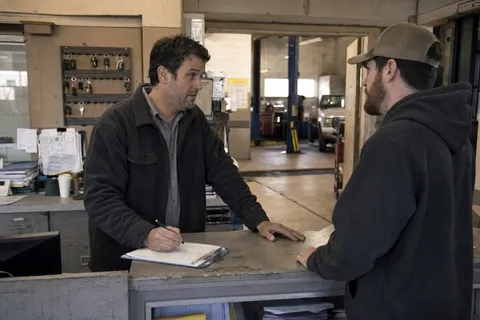
How to bring more customers into your auto repair shop
A no-nonsense car-count playbook for Canadian shop owners: the marketing that actually books work, what to budget, a one-page plan to copy, and the leak that wastes the rest.

How to set your auto repair shop labour rate in 2026
Not sure what to charge per hour? Run the break-even math, work out your effective labour rate, and see what the market pays so you price jobs to profit.