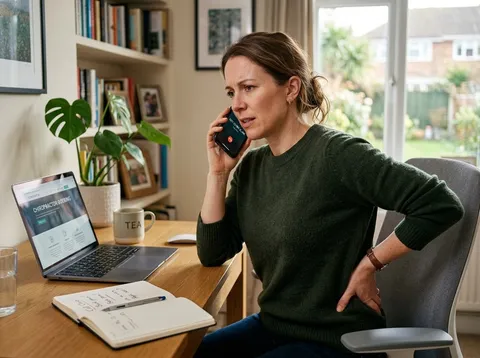


Jodie is an AI receptionist that finds your patients in WriteUpp while they are on the phone. She tells them about their upcoming appointments. Requests to book, move or cancel reach your team in the call summary. Nothing is written to WriteUpp.
- Finds patients by phone, or surname and postcode
- Tells them about upcoming appointments
- Sends booking requests to your team
How does Jodie work with WriteUpp?
Jodie looks things up in WriteUpp during the call. Your team stays in charge of the diary.
- 01
A patient calls
They want to know when they are booked in, or to book a visit. Your team is with patients, so Jodie picks up.
- 02
Jodie finds them
She matches the number they call from. If that fails, she asks for their surname and postcode and checks them in WriteUpp.
- 03
Jodie answers or takes it down
She tells them about their upcoming appointments. A request to book, move or cancel is taken down in full.
- 04
Your team picks it up
The request is in the call summary, with what the caller wants and when. Your team makes any change in WriteUpp.
What does Jodie read from WriteUpp?
Jodie reads what a call needs while it is on. She never adds, changes or deletes anything in WriteUpp.
Patient
Found by the number they call from, or by surname and postcode. Jodie never reads an address or number out.
- First name and surname
- Mobile, home and work numbers
- Postcode, to check who is calling
Upcoming appointments
Read for a patient Jodie has found, so she can tell them what is coming up.
- Appointment type
- Day and time
- Clinician
- Location
Call summary, to your team
Requests to book, move or cancel, and new patients, reach your team here. It is written from the call.
- Who called
- What the caller wants
- The details Jodie took down
Customers, in Jodie
Only if you turn on the patient import. Copied from WriteUpp, then checked for changes every night.
- Name
- Phone numbers
What happens on different calls?
Five common calls, and what Jodie does with WriteUpp on each one.
When is my appointment? Patient
A patient rings from her mobile to check the time of her next visit.
Jodie asks for
- Who she is, found by the number she calls from
- Her name, to check it is her
- Which appointment she means
In WriteUpp
Jodie reads her upcoming appointments and tells her the type, day, time, clinician and location. Nothing changes in WriteUpp.
A call from a landline Older patient
An older patient calls from a phone that is not on their record, or from a shared landline.
Jodie asks for
- Their surname, spelled out if needed
- Their postcode
- What they need
In WriteUpp
Jodie checks the surname and postcode against WriteUpp. She never reads an address or number back. Once they are found, she can tell them about their appointments.
Book an appointment Returning patient
A patient wants another ear wax removal before their holiday.
Jodie asks for
- Who they are, found in WriteUpp
- What they want to book
- The days and times that suit them
In WriteUpp
Nothing is booked in WriteUpp. The request reaches your team in the call summary, with the times that suit the patient.
Move or cancel a visit Patient
A patient cannot make Thursday and wants to change or cancel.
Jodie asks for
- Who they are, found in WriteUpp
- Which appointment they mean
- What they want instead
In WriteUpp
The appointment stays as it is in WriteUpp. Your team gets the request in the call summary.
A new patient New caller
Someone who has never been to your clinic asks to come in.
Jodie asks for
- Their name and phone number
- What they need help with
- The days and times that suit them
In WriteUpp
Jodie finds no record, so nothing is looked up or added in WriteUpp. Your team gets their details in the call summary.
Ready-made call types in Jodie
- Booking request
- Move or cancel an appointment
- When is my appointment?
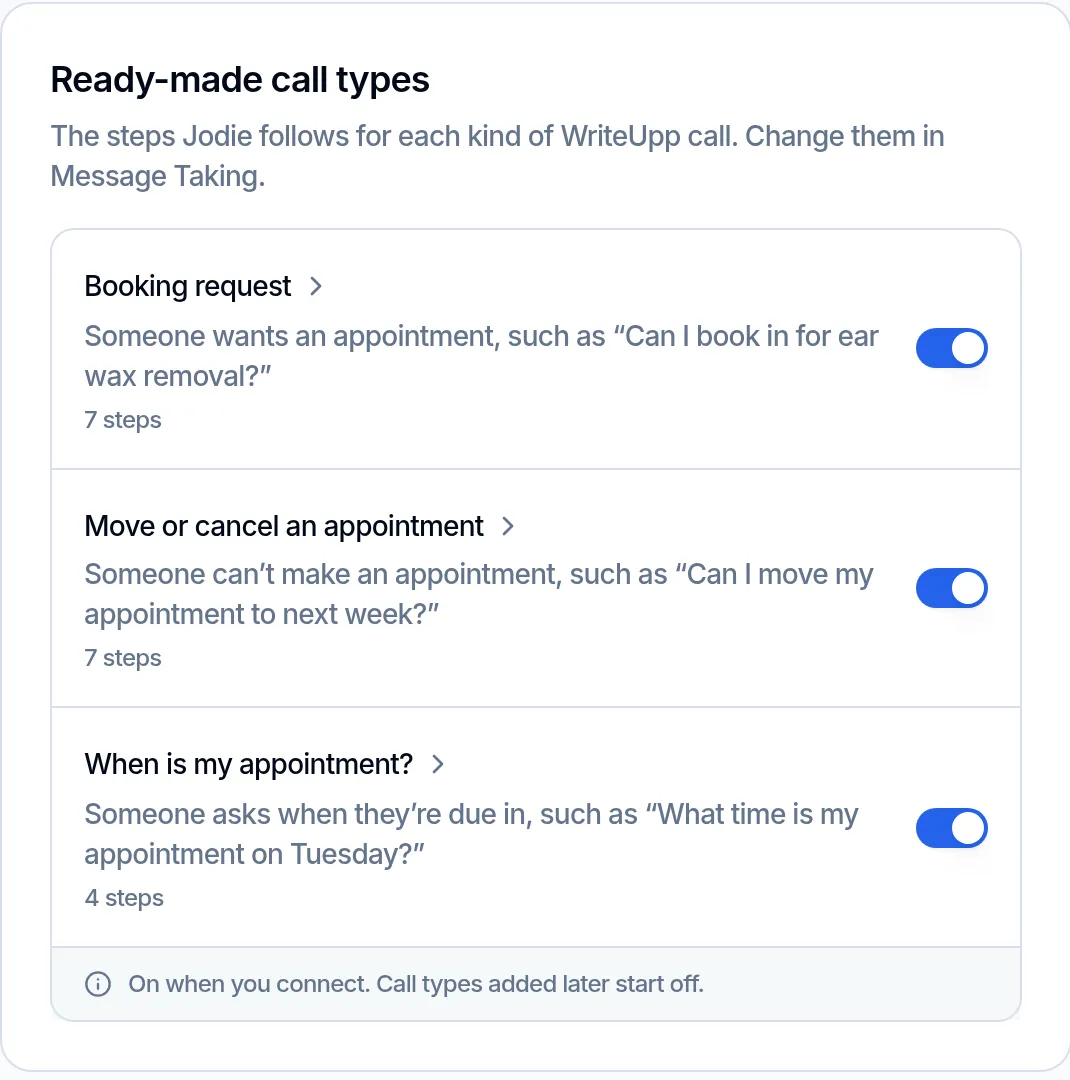
These calls come set up for you. Connecting WriteUpp adds three ready-made call types to Message Taking in Jodie, switched on. Each one is a list of steps Jodie follows from the top, such as questions and look-ups in WriteUpp. You can change their steps in Message Taking, or switch a call type off.
How do I set it up?
These are real screens from Jodie. Setup takes about 2 minutes. You need to be a site administrator on a paid WriteUpp site.
- 01
Open WriteUpp in Integrations
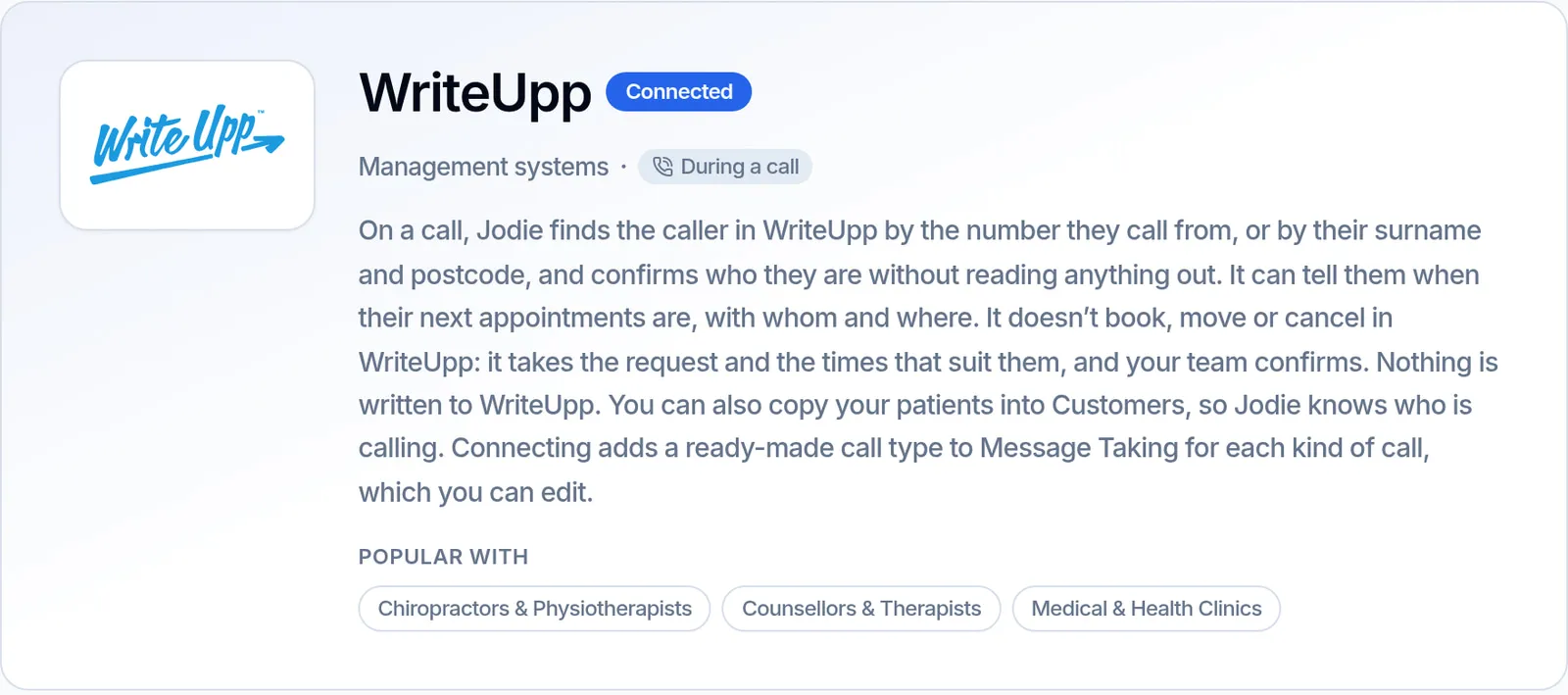
Open Integrations in Jodie. WriteUpp sits under Management systems. Its page says what Jodie does during a call.
- 02
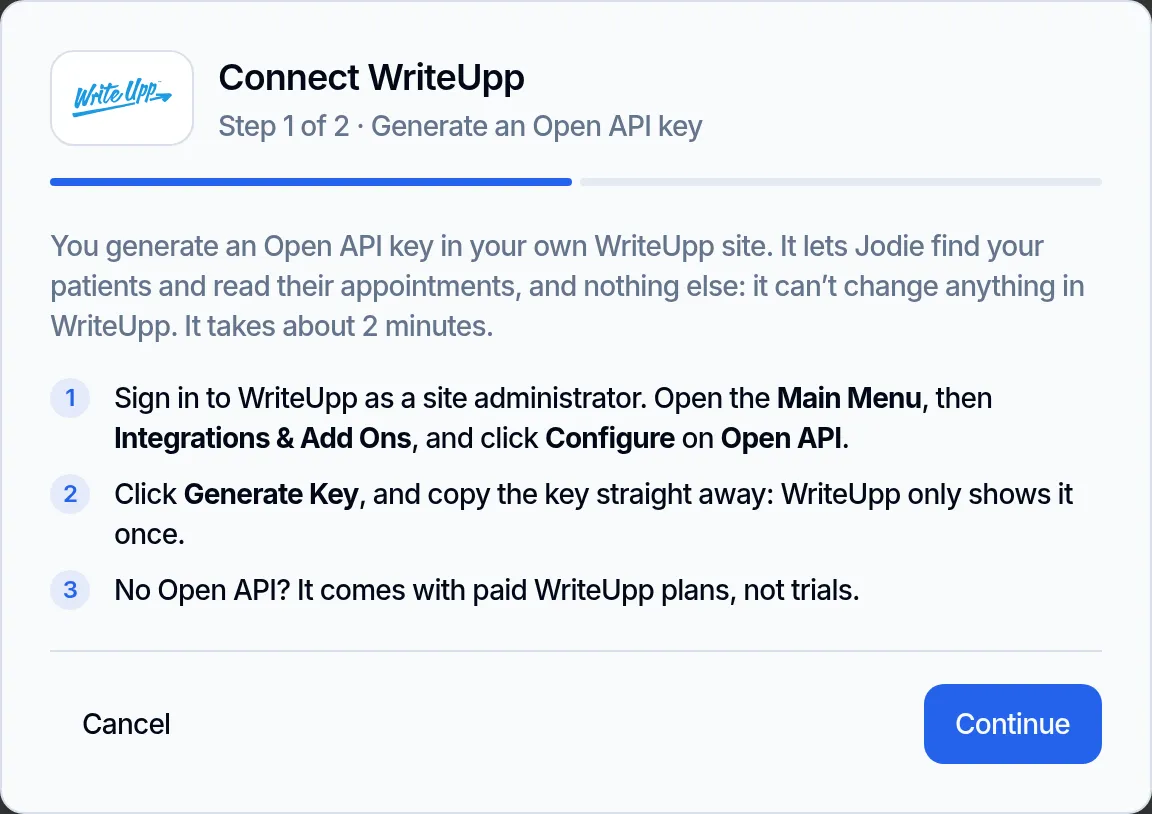
Generate an Open API key
In WriteUpp, open the Main Menu, then Integrations & Add Ons, and click Configure on Open API. Click Generate Key and copy the key straight away.
- 03
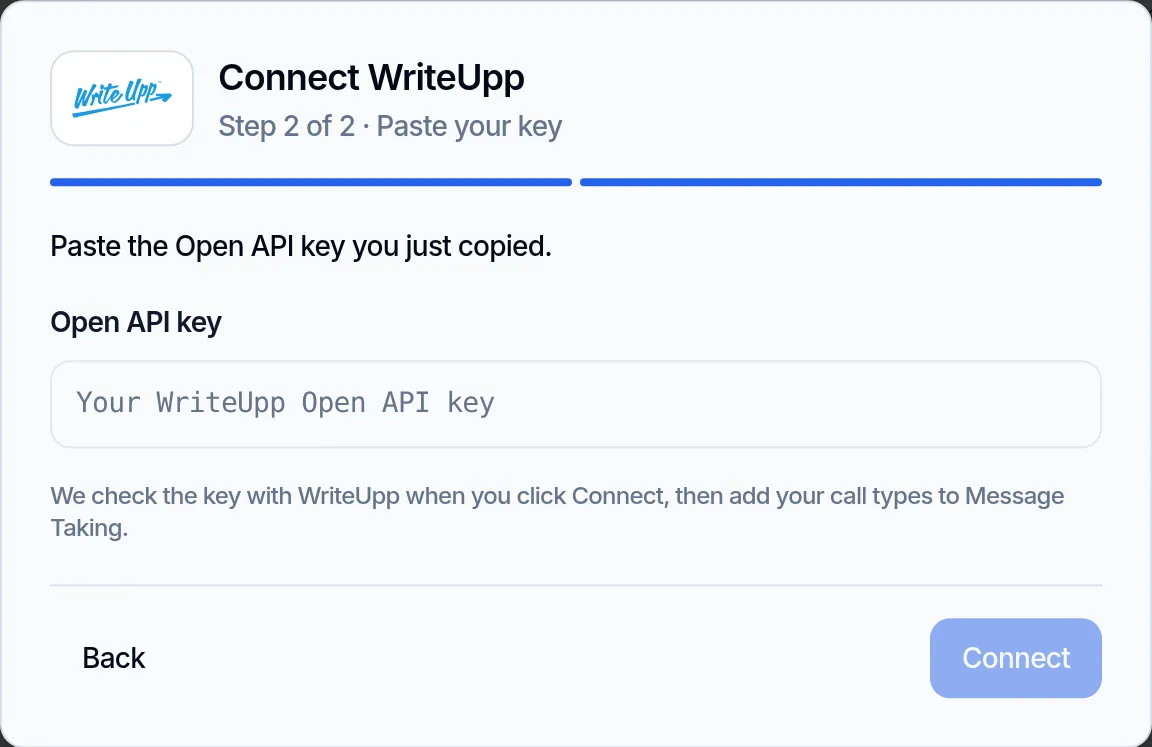
Paste your key
Paste the key into the Open API key box and click Connect. Jodie checks it with WriteUpp, then adds your call types.
- 04
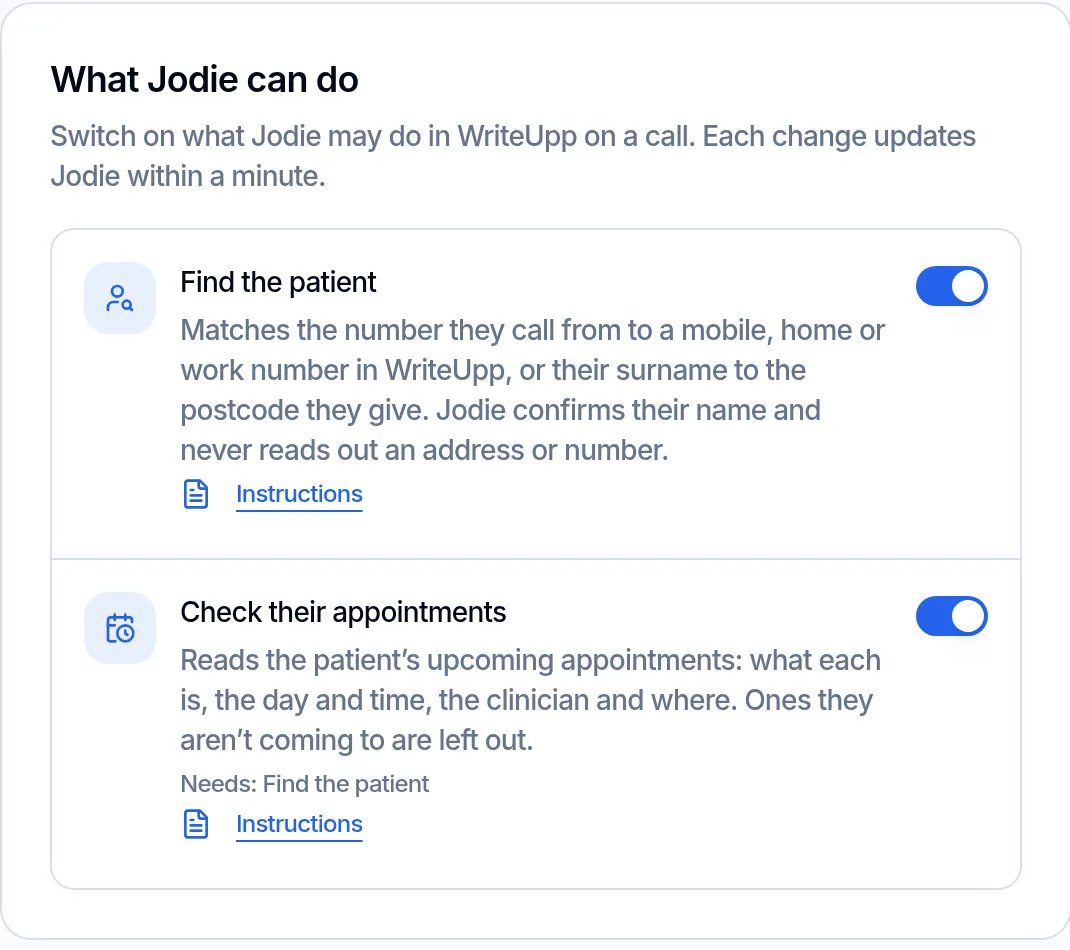
Choose what Jodie can do
Switch Find the patient and Check their appointments on or off. Checking appointments needs the patient found first.
- 05
Check your call types
Connecting adds three ready-made call types to Message Taking, switched on. Open one to change its steps.
What data is sent and stored?
Plain answers for whoever looks after data protection. Jodie uses a read-only key, over an encrypted link to your own WriteUpp site.
Sent to WriteUpp, to look things up
- The caller's phone number, to find their record
- The surname a caller gives, to find patients with that name
- A request for the upcoming appointments of the patient Jodie found
- With the patient import on: a nightly request for your patients' names, phone numbers and emails
Kept in Jodie
- Your WriteUpp API key, encrypted
- With the patient import on: the names, phone numbers and emails of your patients, in Customers
- Each call's summary, transcript and recording, as for any call
- Your ready-made call types, in Message Taking
- What Jodie says on a call is in its transcript. She keeps no other copy of the appointments she reads
Never sent or stored
- Anything written to WriteUpp. No bookings, changes, cancels or notes
- Addresses and phone numbers read out to a caller
- Clinical notes, invoices and payments. Jodie does not look at them
- Your WriteUpp password. Jodie never sees it
- Copies of your data in the service that links Jodie and WriteUpp. It stores nothing
Why connect WriteUpp?
Most clinic calls are about an appointment. With WriteUpp to hand, Jodie knows who is calling and what is booked.
- 01
Patients hear their times
Jodie tells them the day, time and clinician of their next visit. Nobody waits for your team to call back.
- 02
Found by phone or name
She matches mobile, home and work numbers. A caller on another phone gives their surname and postcode.
- 03
Kind to older callers
No menus to press. Patients just talk, and Jodie never reads an address or number back to them.
- 04
Your diary stays yours
Jodie changes nothing in WriteUpp. Your team makes every booking, move and cancel.
- 05
Ready-made call types
Connecting adds call types for booking, moving and "When is my appointment?". You can change their steps.
- 06
Returning callers known
Turn on the patient import, and Jodie knows returning callers by their number. She checks for changes every night.
Best AI receptionist for clinics on WriteUpp
The best AI receptionist for clinics on WriteUpp knows who is calling and what they have booked. A message service takes a name and number. Your team still has to look the patient up and call back.
Jodie finds the patient in WriteUpp while they are on the phone. She tells them about their upcoming appointments. Anything that needs a change goes to your team in the call summary.
-
Ask what it writes to WriteUpp
Before you choose, ask any AI receptionist what it adds or changes in WriteUpp. Jodie's key is read only, so she changes nothing.
-
Checks who is calling
Jodie matches the number they call from, or their surname and postcode. She never reads an address or number out.
-
Answers every call
She picks up when your team is with patients, at lunch or after you close.
Call answering service for physiotherapists on WriteUpp
A physiotherapist answering service should do more than take messages. Most calls to a physio clinic are about an appointment. Patients want to know when they are booked in, or they want to book again.
Jodie answers those calls with WriteUpp to hand. She finds the patient and tells them when and where their next session is, and with whom. A request for a new session reaches your front desk in the call summary.
AI receptionist for hearing and ear wax removal clinics on WriteUpp
A hearing clinic receptionist takes a lot of calls from older patients. Many ring from a landline, or from a number that is not on their record.
Jodie finds them by the number they call from. If that does not work, she asks for their surname and postcode and checks them in WriteUpp. She never reads an address or number back.
For an ear wax removal clinic, she can tell a patient the day and time of their next visit. A request to book goes to your team in the call summary.
WriteUpp integration: how Jodie uses the Open API
Jodie connects to WriteUpp with a key from WriteUpp's Open API. No developer is needed, and there is no Zapier in between.
The key is read only. Jodie uses it to find patients, read their upcoming appointments and, if you want, copy their contact details. She never books, moves or cancels appointments, or adds notes.
-
Who can make the key
A site administrator, on a paid WriteUpp site. WriteUpp turns the Open API off during free trials, and shows the key only once.
-
Which WriteUpp sites work
Jodie connects to WriteUpp's UK and Europe region. That is where WriteUpp sites in the UK and Ireland run.
WriteUpp questions
Is there an AI receptionist that works with WriteUpp?
Yes. Jodie is an AI receptionist that finds your patients in WriteUpp during the call. She tells them about their upcoming appointments. Requests to book, move or cancel reach your team in the call summary.
Can Jodie book appointments in WriteUpp?
No. Jodie does not book, move or cancel appointments in WriteUpp. She takes the request down, with the times that suit the patient. Your team gets it in the call summary and books it in WriteUpp.
Does Jodie change anything in WriteUpp?
No. The key you give Jodie is read only. She adds no patients, appointments or notes, and changes nothing your team entered.
How does Jodie know who is calling?
She matches the number they call from with the mobile, home or work number in WriteUpp. If there is no match, she asks for their surname and postcode. She never reads an address or number out.
What can Jodie tell a patient about their appointments?
Once she has found them, Jodie can tell a patient about their upcoming appointments. That means the type, the day and time, the clinician and the location.
Is Jodie the same as WriteUpp AI Scribe?
No. WriteUpp's AI Scribe helps clinicians write clinical notes. Jodie is an AI receptionist that answers your phone and looks patients up in WriteUpp. She does not read clinical notes.
Is Jodie a phone system?
No. Jodie works on the number you already have. You forward calls to her from your current phone system, when you are busy or after you close.
Can Jodie import my WriteUpp patients?
Yes, once you turn it on. Switch on "Import your patients" on the WriteUpp page in Jodie. She copies their names, phone numbers and emails into Customers, and nothing else. Then she checks for changes every night.
How do I connect WriteUpp?
Sign in to WriteUpp as a site administrator. Go to Main Menu, then Integrations & Add Ons, then Open API, and click Configure. Click Generate Key, copy the key and paste it on the WriteUpp page in Jodie. Trial sites cannot make a key.
Which Jodie plan do I need?
Professional or above, the same plan as our other built-in integrations.
How do I stop Jodie reading WriteUpp?
Disconnect WriteUpp in Jodie, and your key is deleted. To cut access in WriteUpp too, click Revoke next to the key on the Open API page. It stops working at once.