
AI Assistant
Update your AI receptionist by chat
Type what you want in plain English, and nothing goes live until you approve it.
7 days free, no card needed. Included on every plan.
Trusted by 1,600+ US service businesses




How the AI Assistant works
- 1
Say what you want
Just type it: "A water heater service is $189 now, not $169."
- 2
Check the change
See the before and after. Approve, tweak or reject it.
- 3
Test it right away
Call your Jodie number or run a text roleplay to check it.
Every change waits for your OK
Approve it, then hear it
A change goes live once you approve it. Check it by calling your Jodie number, or by playing the caller in your browser.
- Approve several changes at once
- Ask about your calls, like who needs a callback
Jodie asks when she gets stuck
When a caller asks something new, Jodie takes a message and asks you what to say. Answer once and she knows it for next time.
Right from your phone, between jobs
The Assistant has its own tab in the Jodie app. Hear something off on a call? Tap Fix it, and the Assistant suggests the change.

What owners ask it to do
"Tell emergency callers we can be there within 2 hours." Approve one card, and the next burst pipe caller hears it.
Jodie for plumbers Auto repair shops"Tell callers we work on hybrids now, but not EVs." The Assistant adds it to your FAQs before the next caller asks.
Jodie for auto repair shops Real estate agents"Put sellers who want a listing appointment through to Lisa." The Assistant adds the transfer and the rule for it.
Jodie for real estate agentsThe details
- Where
- The web dashboard and the Jodie app for iPhone and Android.
- Approval
- You see every change before and after. Nothing goes live until you approve it.
- What it can change
- Business details, hours, greetings, FAQs, voice, languages, transfers, bookings, follow-up texts, notifications and team.
- Questions about calls
- Ask about your calls and chats, like who still needs a callback.
- Learning
- When Jodie cannot answer a caller, she asks you and saves your answer.
- Testing
- Call your Jodie number or run a text roleplay after any change.
Which plans include it
- Basic includes this feature $49/month
- Professional includes this feature $99/month
- Premium includes this feature $199/month
Every feature is on during the 7-day free trial.
Compare plansAI Assistant: common questions
Tell the Assistant in plain English, like "We're open until noon on Saturdays now." It shows the change as a before and after card, and it goes live when you approve it.
Related guides
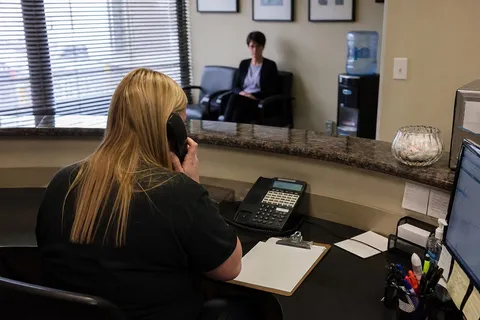
The real cost of a dental front desk (and the price of every missed call)
The receptionist wage on the job ad is the small number. Here is the loaded cost of a dental front desk - salary, payroll taxes, benefits, PTO and absence cover - weighed against the new-patient calls that roll to voicemail.

The real cost of a veterinary front desk: software, staff, and missed calls
An honest operator breakdown of what a veterinary front desk costs a practice owner: practice management software pricing, the true cost of a receptionist seat the software cannot replace, and the lost-appointment math on the calls nobody answers.

Real estate call handling: answering service vs voicemail vs receptionist
Voicemail, an in-house receptionist, a traditional answering service, or an AI receptionist. A straight comparison of how each option handles a real estate office phone, what it costs, and what it lets slip.
Manage your front desk by chat
Start a free trial, then tell Jodie what your callers should hear.
7 days free, then from $49 a month. No card needed.